


Laptop Repairs in Pukekohe
Reliable laptop repairs, troubleshooting and setup support for home users, home office workers and small businesses across Pukekohe and the wider Franklin region.
If your laptop is slow, not starting properly, freezing, overheating, showing errors, having Wi-Fi problems, infected with malware, or needing data transferred to a new device, Dial a Nerd can help.
We provide practical laptop support in plain English, including software troubleshooting, virus and malware checks, email setup, Microsoft 365 support, data transfer, backup advice, new laptop setup and honest repair-or-replacement guidance.
Contact us today on (09) 238 2560, email us at support@dialanerd.nz, or visit our office at: 6 Cape Hill Road, Pukekohe, Auckland, 2120 to laptop repairs in Pukekohe.
Proudly supporting businesses and home users in Franklin and across South Auckland: Pukekohe 🌟 Waiuku 🌟 Tuakau 🌟 Pokeno 🌟 Karaka 🌟 Patumahoe 🌟 Drury 🌟 Ramarama 🌟 Bombay 🌟 Papakura 🌟 Takanini
Laptop Repairs That Make Practical Sense
A laptop problem does not always mean you need a new device. Slow performance, software errors, startup problems, Wi-Fi issues, email faults, malware, overheating, storage problems and setup issues can often be checked, repaired or improved.
Dial a Nerd helps customers across Pukekohe and the wider Franklin region diagnose laptop problems clearly and honestly. We explain what is wrong, what can be fixed, what is worth spending money on, and when replacement may be the better option.
Whether you use your laptop for home, study, business, remote work or day-to-day admin, we focus on practical repairs and advice that help you get working again with less stress.

Laptop Repair Services
Dial a Nerd provides practical laptop repair, setup and troubleshooting support for home users, students, home office workers and small businesses across Pukekohe and the wider Franklin region.
1
Slow Laptop Repairs
A slow laptop can make simple tasks frustrating. We help diagnose slow startup, poor performance, freezing, low storage, background programmes, software issues, malware, failing drives and memory limitations.
Where possible, we recommend practical fixes such as clean-up, software repairs, updates, SSD upgrades, memory upgrades or better backup options.
2
Laptop Startup, Freezing & Windows Problems
If your laptop will not start properly, keeps freezing, crashes, shows blue screen errors or gets stuck during updates, we can help troubleshoot the cause.
We check for Windows problems, update failures, corrupted system files, driver issues, hardware faults and other common causes of unreliable laptop behaviour.
3
Laptop Screen, Keyboard, Battery & Charging Issues
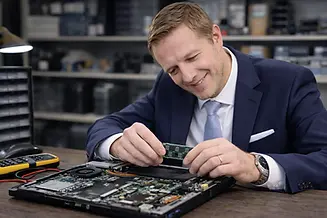
Laptop hardware problems can include damaged screens, faulty keyboards, battery issues, charging problems, overheating, noisy fans, broken ports and physical damage.
We can assess the problem, explain the likely repair options and help you decide whether repairing the laptop is worthwhile compared with replacement.
4
Virus, Malware & Security Checks
If your laptop has suspicious pop-ups, browser redirects, unwanted programmes, strange behaviour or security warnings, we can check for viruses, malware and other threats.
We can also recommend practical protection, updates, password improvements and backup options to reduce the chance of the same issue happening again.
5
Laptop Data Recovery & Data Transfer
We help recover laptop data where possible, including documents, photos, desktop files, business files and other important information.
We can also transfer files from an old laptop to a new one, set up OneDrive or other cloud storage, check important data has copied correctly and advise on backup options.
6
New Laptop Setup, Upgrades & Replacement Advice
We help set up new laptops with email, Microsoft 365, software, printers, Wi-Fi, cloud storage, security settings, user accounts, data transfer and backups.
If your current laptop is too old or not worth repairing, we can give honest advice about replacement options and help set up the new device properly.
Why Laptop Repairs Matter
What can go wrong
Laptop problems often start small and get worse over time. A slow laptop, noisy fan, weak battery, damaged screen, unreliable Wi-Fi, software error or failed update can quickly turn into lost files, missed work, security problems or a device that will not start at all. Ignoring warning signs can also make repairs harder, especially if the storage drive is failing or important data has not been backed up.
Why it matters
Many people rely on their laptops every day for work, study, email, banking, photos, business documents, video meetings and Microsoft 365. When a laptop stops working properly, it can interrupt your day and put important files at risk. Getting the problem checked early can help avoid unnecessary stress, reduce downtime and make it easier to decide whether repair, upgrade or replacement is the best option.
How Dial a Nerd helps
Dial a Nerd helps diagnose laptop problems clearly and practically. We check the likely cause, explain your options in plain English and recommend sensible next steps. Where possible, we repair or improve the laptop. Where repair is not worthwhile, we give honest replacement advice and can help transfer your files, set up your new laptop and make sure your email, Microsoft 365, printers, Wi-Fi and backups are working properly.
Related IT Services
Home IT Support & Computer Repairs
Get help with home computers, laptops, printers, Wi-Fi, email, Microsoft 365, data transfer, virus removal and general technology problems. This is ideal if you need broader home technology support beyond a single laptop issue.
Remote IT Support
Many laptop problems can be checked or resolved remotely, including email issues, software errors, Microsoft 365 problems, printer settings, slow performance checks and general troubleshooting. Remote support can often be a fast and convenient way to get help without bringing the laptop in.
Microsoft 365 & Cloud Services
Get help setting up and using Microsoft 365, Outlook, Teams, OneDrive, SharePoint and cloud storage on your laptop. We can also help with email setup, file syncing, account access, password problems and secure cloud file access.
Cyber Security & Data Protection
Protect your laptop and important files with practical cyber security advice, antivirus, software updates, password improvements, multi-factor authentication and backup planning. This is especially important if your laptop is used for work, banking, email, business files or customer information.

What Local Customers Say About Dial a Nerd

Frequently Asked Questions
Common questions home users, home office workers and small businesses in Pukekohe and the wider Franklin region ask about laptop repairs, slow laptops, startup problems, charging issues, data transfer, virus removal and new laptop setup.
Q: Do you provide laptop repairs in Pukekohe?
A: Yes. Dial a Nerd provides practical laptop repairs and troubleshooting for customers in Pukekohe and across the wider Franklin region. We help with slow laptops, startup problems, Windows errors, freezing, malware, email issues, Wi-Fi problems, data transfer, new laptop setup and general laptop support.
Q: Can you fix slow laptops?
A: Yes. Slow laptops are one of the most common problems we help with. The cause may be old hardware, failing storage, limited memory, too many background programmes, malware, software errors, updates, or poor maintenance. We can diagnose the issue and recommend practical repairs or upgrades where worthwhile.
Q: Can you help if my laptop will not start?
A: Yes. We can help troubleshoot laptops that will not start, freeze during startup, show error messages, get stuck on updates, or keep restarting. The problem may be related to Windows, a failing drive, corrupted system files, power issues, hardware faults or other software problems.
Q: Can you help with laptop battery or charging problems?
A: Yes. We can help assess laptop battery problems, charging faults, loose power connections, power adapter issues and laptops that switch off unexpectedly. We can check the likely cause and explain whether repair, replacement parts or a new laptop may be the better option.
Q: Can you help with laptop screen, keyboard or hardware problems?
A: Yes. We can help assess laptop hardware issues such as damaged screens, faulty keyboards, broken ports, overheating, noisy fans and physical damage. Some repairs may depend on part availability and cost, so we will explain your options clearly before you spend money unnecessarily.
Q: Can you remove viruses or malware from my laptop?
A: Yes. We can check your laptop for viruses, malware, unwanted programmes, suspicious pop-ups, browser redirects and other security problems. We can also recommend antivirus protection, updates, safer browsing habits, password improvements and backup options to reduce future risk.
Q: Can you recover files from a faulty laptop?
A: Yes, we can help with laptop data recovery where possible. This may include documents, photos, desktop files, business files and other important data. Recovery success depends on what has happened to the laptop or storage drive, but we can assess the situation and explain the safest options.
Q: Can you transfer files from my old laptop to a new one?
A: Yes. We can transfer files from an old laptop to a new laptop where possible, including documents, photos, desktop files and other important data. We can also help set up OneDrive, Microsoft 365, email, printers, Wi-Fi, security settings and backups on the new device.
Q: Can you set up a new laptop?
A: Yes. We can help set up a new laptop properly from the start, including user accounts, email, Microsoft 365, Outlook, OneDrive, Teams, printers, Wi-Fi, software, security settings, updates, data transfer and backup options.
Q: Can you help with laptop Wi-Fi problems?
A: Yes. We can help troubleshoot laptop Wi-Fi problems such as weak signal, dropouts, slow connections, connection errors and laptops that will not connect to the internet. The issue may be with the laptop, router, Wi-Fi settings, drivers or your internet connection.
Q: Do you repair both Windows laptops and business laptops?
A: Yes. We support home laptops, student laptops, home office laptops and business laptops. Most of our laptop support focuses on Windows laptops, Microsoft 365, email, software issues, setup, data transfer, security, performance problems and general troubleshooting.
Q: Is my laptop worth repairing or should I replace it?
A: It depends on the age, condition, fault, repair cost and how you use the laptop. We can assess the problem and give honest advice about whether repair, upgrade or replacement makes the most sense. If replacement is better, we can help set up the new laptop and transfer your data.
Q: Do you offer remote laptop support?
A: Yes. Many laptop problems can be checked or fixed remotely, including email issues, software problems, Microsoft 365 support, printer settings, account problems and general troubleshooting. Hardware faults, startup problems and data recovery may need hands-on support.
Q: Why choose Dial a Nerd for laptop repairs?
A: Customers choose Dial a Nerd because we provide friendly, practical and local laptop support in plain English. Since 2003, we have helped customers across Pukekohe and Franklin with computer repairs, laptop repairs, setup, data transfer, virus removal, Microsoft 365 support and general technology problems.

Need Laptop Repairs in Pukekohe?
A faulty laptop can quickly interrupt work, study, home admin, email, banking, photos, business files and everyday tasks. Whether your laptop is slow, not starting, freezing, overheating, infected with malware, having Wi-Fi problems, or needing files transferred to a new device, Dial a Nerd can help.
We provide practical laptop repair, troubleshooting, setup and replacement advice for home users, home office workers and small businesses across Pukekohe and the wider Franklin region.
Contact Dial a Nerd today on (09) 238 2560, email support@dialanerd.nz, or visit our office at 6 Cape Hill Road, Pukekohe, Auckland, 2120.